
Shortcuts:
How does cancellation work?
Cancellation is not the same as deletion of your account or termination. You can still use your account after you've canceled your subscription.
Cancellation goes into effect at the end of your current pre-paid period.
Depending on the plan, your trial may be terminated immediately after canceling.
You and your workspace members will have full access until then. We do not refund dues already paid.
- Termination ends your subscription with an immediate effect. Your account gets downgraded to the free version and you lose access to the higher-tier features.
- Cancellation stops your subscription from renewing at the end of the billing cycle. After you cancel, the subscription is not terminated until the end of your current pre-paid period.
How to cancel
From your account settings menu, choose Billing in the list of Settings.
On the billing page, click Manage subscription. This will take you to a secure area where you can view and change payment details. In the Subscription section, click Cancel Subscription.
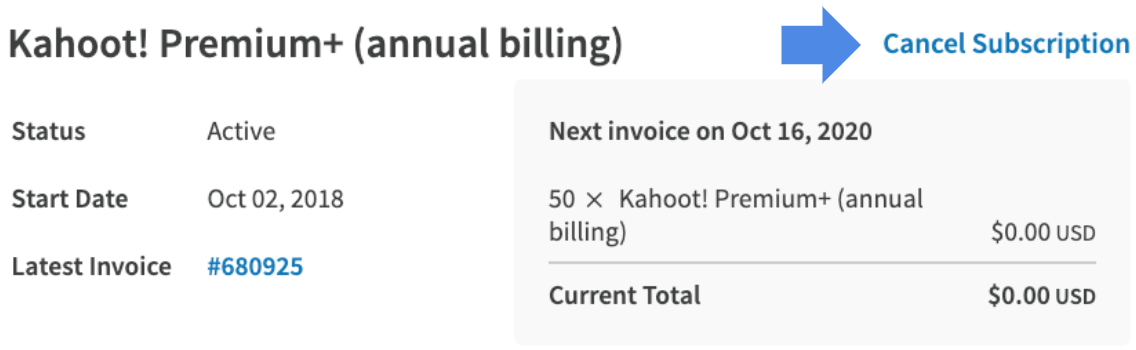
Our system will ask you to confirm that you wish to cancel the subscription. The subscription is correctly canceled when you receive the confirmation of cancelation in the system (see below). Make sure to follow the process and confirm the cancelation until the notification with confirmation is displayed.

Once your billing period is finished after the cancelation, you will be downgraded to basic access.
- All content in your personal folders will be available to you. You'll be able to host games with them. You won't be able to save edits without first removing features that are no longer available to you.
Individual plans
If you have an individual plan, you are the sole owner of your subscription and can cancel at any time.
The billing cycle will continue until it expires after you cancel.
Workspace (multi-license subscriptions)
Within a Workspace, only the Workspace owners can cancel a subscription. The cancellation of a subscription in this case affects all the licenses within this Workspace. Therefore, the subscription will be automatically canceled for all Workspace members and admins.
See also: Org roles explained and how to adjust them