
Is your Reports page cluttered with reports you no longer need? You can clean up your reports list with the “archive” and “delete” options. And in case you archived something in error, you can “restore” it!
Quick links
How to delete or restore reports
How to archive reports
Archiving removes reports from your Reports list. If you want to delete a report, you must first archive it. Archived reports can be found in the Trash at the top right of the Reports page. The Trash shows not only your personal archived reports, but also your org space’s archived reports.
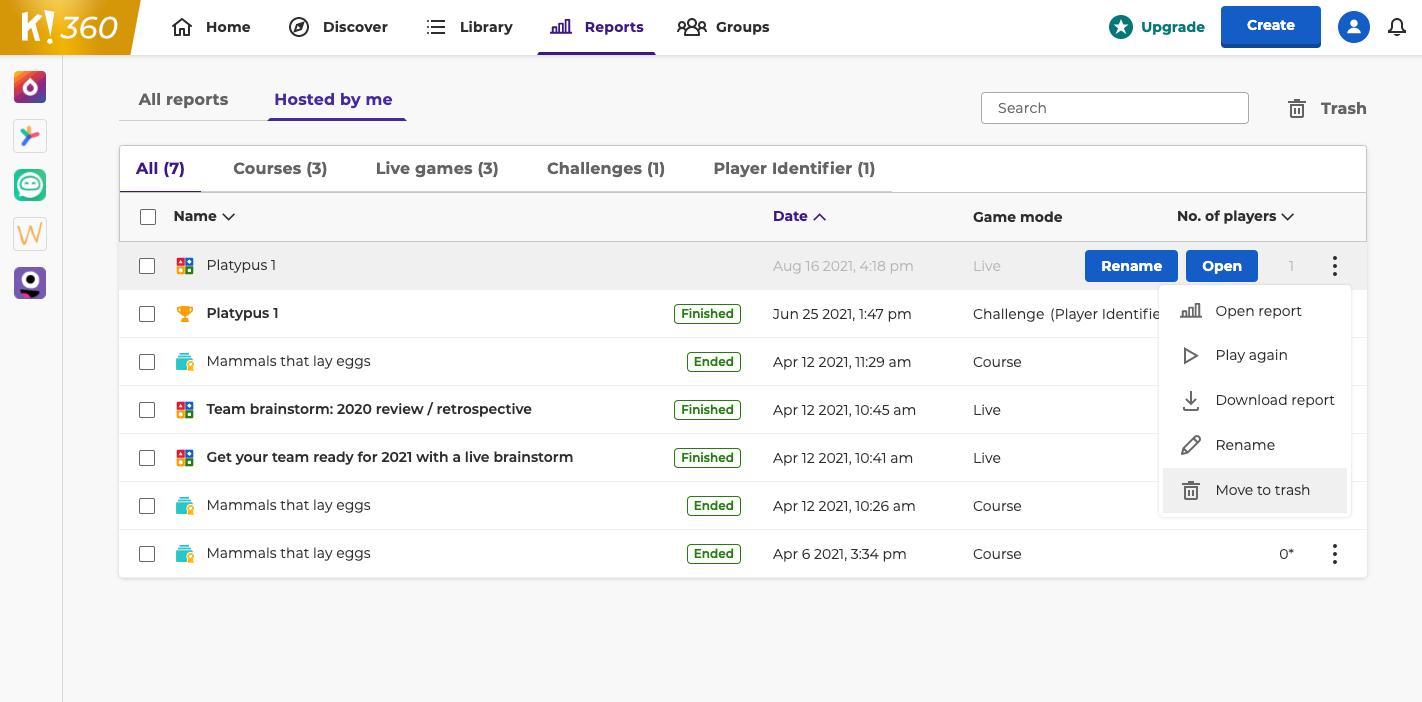
Archive one at a time
- Navigate to the Reports page.
- Click ⠇on a report to see the options menu.
- Choose “Move to trash”
Archive multiple at once
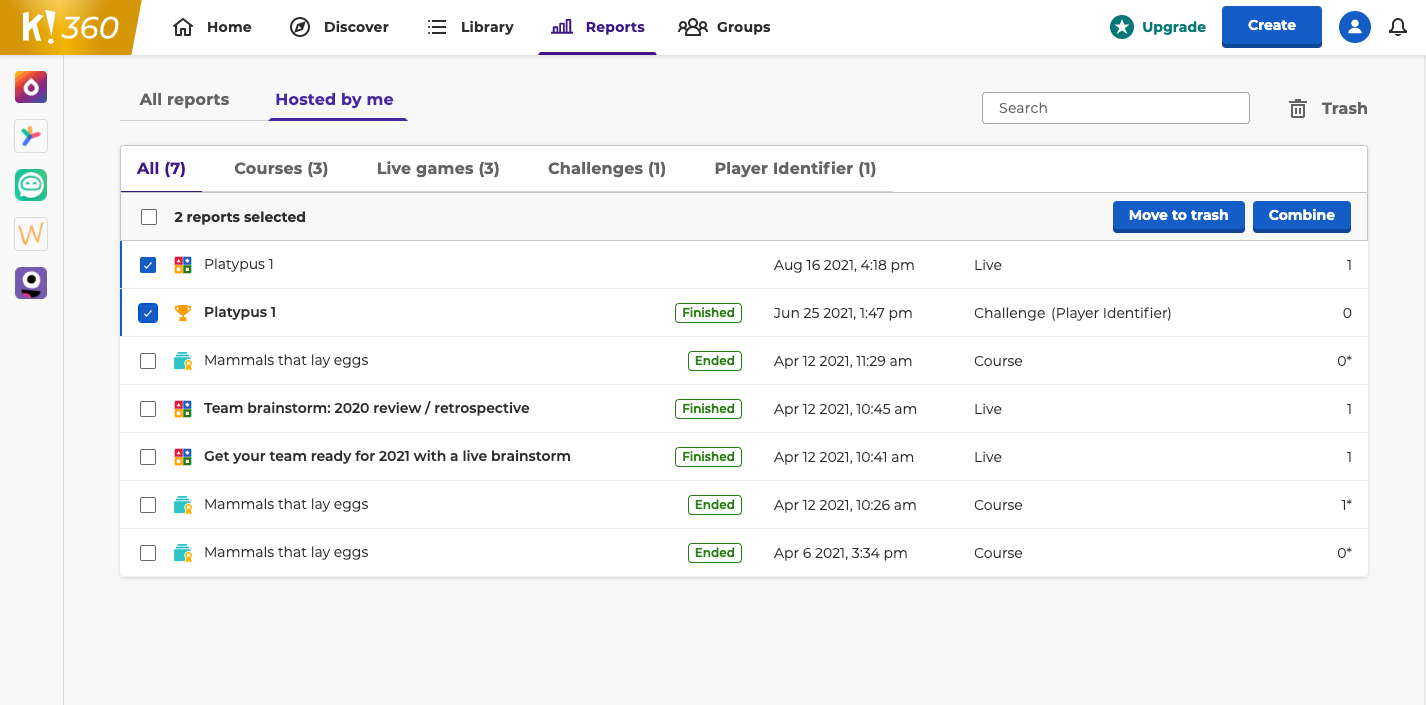
- Navigate to the Reports page.
- Click the checkbox next to each report you want to archive.
- Choose “Move to trash” at the top of the reports list.
How to delete or restore reports
If you want to permanently delete reports, you can do so from the Trash at the top right of the Reports page. Alternatively, if you accidentally archived a report, you can restore it from the Trash. Unlike archived reports, deleted reports cannot be restored.
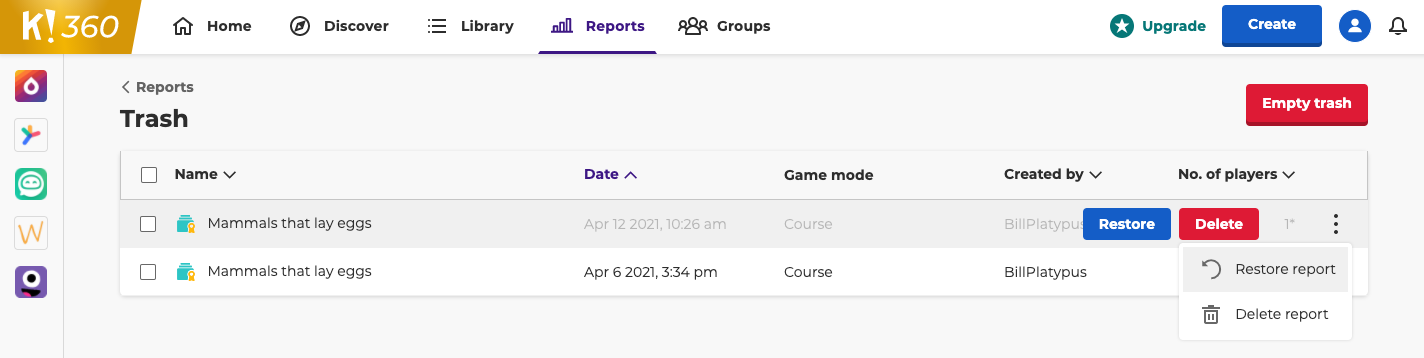
Delete or restore one at a time
-
From the Reports page click on “Trash” at the top right of the screen.

-
Hover over an archived report or click ⠇to see the options menu.
-
- To permanently delete, click the “Delete” button or choose “Delete report” from the options menu.
- To restore a report, click the “Restore” button or choose “Restore report” from the options menu.
Delete or restore multiple at once
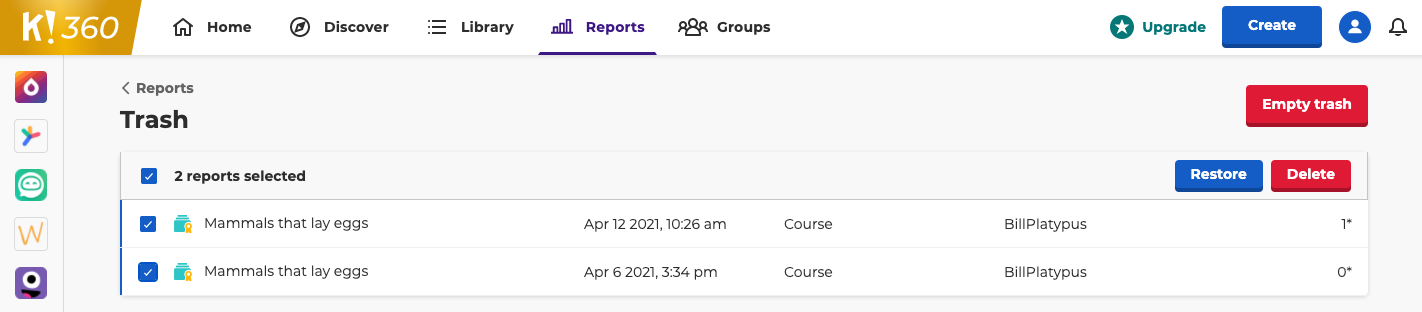
- From the Reports page click on “Trash” at the top right of the screen.
- Click the checkbox next to each report you want to delete or restore.
-
- To permanently delete, click the “Delete” button at the top of the reports list.
- To restore a report, click the “Restore” button at the top of the reports list.
Delete all at once
- From the Reports page click on “Trash” at the top right of the screen.
- Click the “Empty trash” button at the top of the page.
